

FreqSense
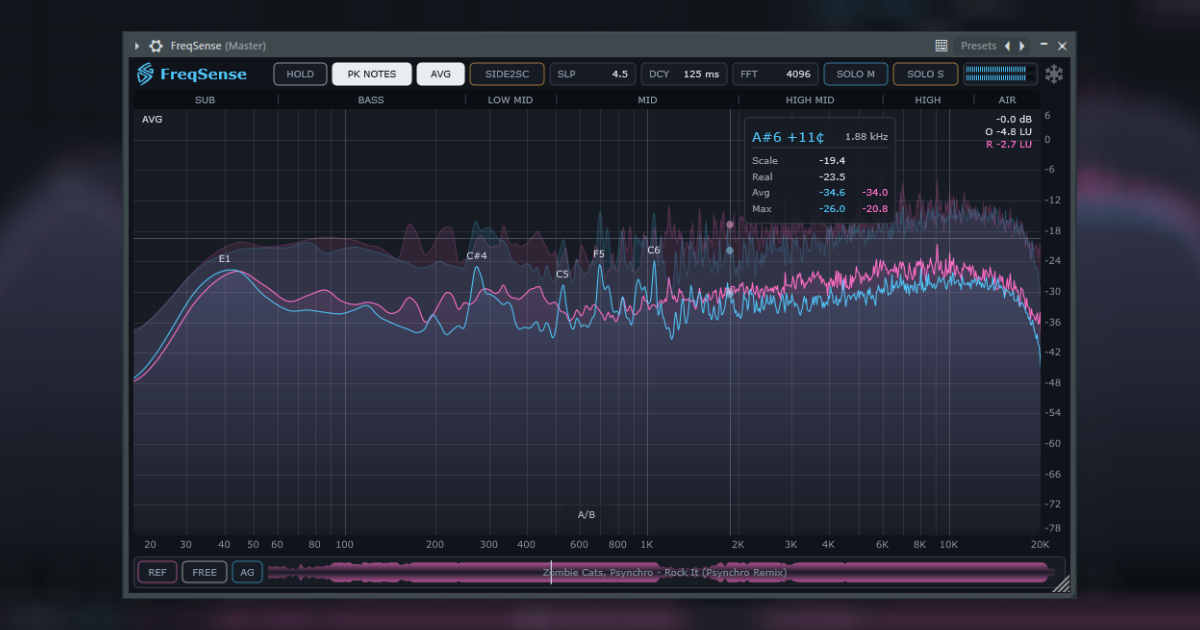

A spectrum analyzer that lets you load a reference track and compare it with your mix.
Features
- Reference track, synced. Load any audio file and it follows your DAW timeline automatically. Or switch to free mode and seek by clicking the waveform. Loudness is matched automatically for fair A/B comparisons.
- Dual spectrum display. Draw a second spectrum behind your mix and instantly see where they differ — the reference track, the Side channel, a sidechain bus, or another FreqSense instance running on any track.
- Band Solo. Frequency bands sit above the display. Hold to solo, click to latch, or drag the borders to customize the layout.
- Hold. Freeze the spectrum as a snapshot and compare individual sounds — whether it's a snare, kick, vocal, or anything else.
- Peak notes. Automatically labels prominent spectral peaks with their musical notes in real time.
- Mid/Side solo. Listen to the Mid or Side channel independently.
- Hover readout. Inspect the exact frequency, level, and musical note under the cursor.
- Display controls. Adjust slope, response speed, and FFT size (2048–16384).
- REAPER embedded UI. Show the spectrum right on the TCP or MCP.
- Clean, lightweight interface. Customizable themes and visual adjustments.
FAQ
The trial has no time limit and no feature restrictions — just a small badge in the UI. You can use it as long as you want, and if you'd like to support development or remove the badge, you can grab a key.
Download
Windows (VST3), MacOS (VST3, AU), Linux (VST3, LV2)
Changelog
0.7.0
- Separate color for the reference spectrum, preserved when switching A/B
- AVG mode — the spectrum accumulates average values, with the maximum spectrum also shown in the background. Can be activated with a button, or simply by holding Alt during playback while hovering over the spectrum
- Option to set the refresh rate to match the monitor's refresh rate
- New Readout layout with a more readable tooltip
- Multi-band solo — stack any combination of band solos, each with its own filter and display corridor
- Automation everywhere — band solos, Mid/Side solo, HOLD, SIDE2SC and Reftool toggles are now automatable host parameters, ready for macros and MIDI
Get a Key
or get it with your subscription: