

Scyllascope
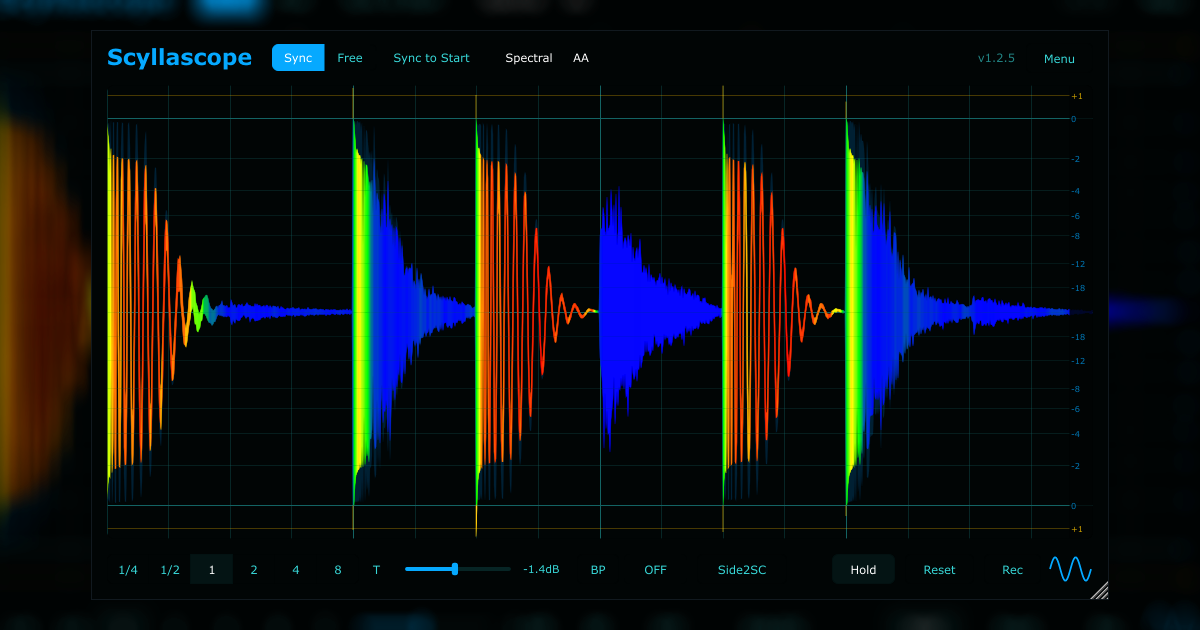

Oscilloscope with built-in recorder
Features
- Sync, Free, and Scroll modes
- Smooth zoom and pan navigation
- Inter-instance sidechain routing and visualization
- Multi-instance signal overlay and summing
- Visual frequency filtering for low-end control
- Spectral waveform
- Headroom display with clipping indicator
- Sync to start mode (solution for Ableton Live PDC issues)
- Color themes and scalable GUI
- "Hold" function for waveform comparison
- Record audio and drag & drop it straight into your DAW
- Normalize, trim, and snap recorded audio to grid
- Advanced configuration via overrides.json
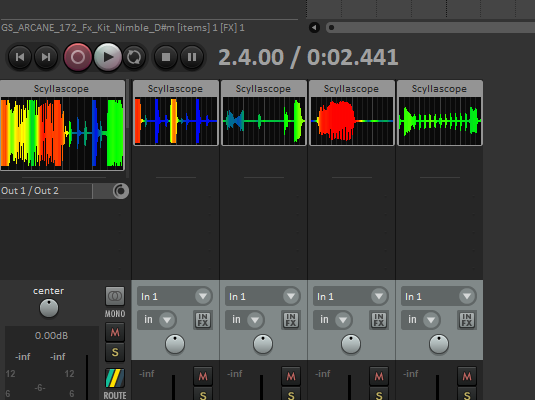
- Reaper embedded integration
Manual
https://sakhnovkrg.github.io/Scyllascope-Docs/Theme editor
https://scyllascope-theme-editor.dsgdnb.com/Download
v1.3.0 (2026-04-12)
- macOS binaries are now signed and notarized — no terminal workarounds needed, includes installer- Instance overlay now automatically syncs division between instances
- Instance overlay now uses the track color by default
- Fixed sidechain overlay waveform artifacts (since v1.2.6)
- Added update checker
- Smooth waveform movement in Scroll mode
- Band-pass filter now disables itself automatically when activated via the frequency slider
- Sidechain overlay no longer draws ahead of the cursor when instances have different PDC latency
- Faster waveform rendering on large divisions (2 Bar+)
- Improved anti-aliased waveform rendering performance
- Consistent zoom behavior in Scroll mode (Catmull-Rom interpolation, sample dots)
- Sample dots at high zoom now have a fixed size instead of scaling with the zoom level
- Non-AA waveform peaks no longer appear hair-thin at high zoom
- Hold waveform now displays without clipping, showing the full amplitude
- Fixed an issue where Sync mode could draw pre-roll audio at the end of the buffer when starting from a bar boundary with PDC > 0
- Fixed a 1px glitch at the left edge in Scroll mode
- Reset in Sync mode now keeps the cursor at the correct PPQ position instead of jumping to the start
- Track renaming in the host now updates instance names even when the plugin window is closed
- BP audio listening mode (Ctrl+Click) now saves/restores with project state
- BP filter now activates on project load when audio listening mode was enabled
- Default Source menu now immediately switches the active source, not just saves the setting
- Fixed CPU spike on buffer clear
- Fixed waveform micro-jitter in BP mode
- Unlimited waveform zoom down to sample level
- Adjustable main waveform dimming when sidechain overlay is active
- Single-file themes
- Adjustable main waveform dimming when sidechain overlay is active
- Single-file themes
- New spectral waveform render algorythm (more precise, sharp and fast)
- Sidechain from other plugin instances (right-click on the waveform display)
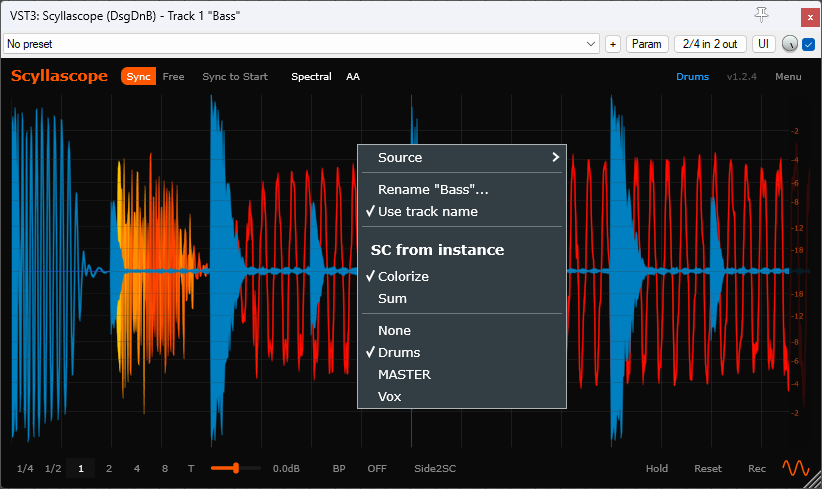
- Sum display with another instance
- Synchronise track colors and names (VST3 only) - New resizable time selection (time, peak, rms, crest)
- Waveform source selection: Left, Right, Mid, Peak (max peak of L/R)
- UX improvements:
-- Ctrl + Mouse Wheel adjusts gain
-- Alt + Mouse Wheel adjusts -- division
-- Shift + Mouse Wheel scrolls while zoomed
-- Band-pass audio lock (Ctrl + Click)
- Added new overrides.json options: "disableExportScreen", "disablePlayhead"
- Sidechain from other plugin instances (right-click on the waveform display)
- Sum display with another instance
- Synchronise track colors and names (VST3 only) - New resizable time selection (time, peak, rms, crest)
- Waveform source selection: Left, Right, Mid, Peak (max peak of L/R)
- UX improvements:
-- Ctrl + Mouse Wheel adjusts gain
-- Alt + Mouse Wheel adjusts -- division
-- Shift + Mouse Wheel scrolls while zoomed
-- Band-pass audio lock (Ctrl + Click)
- Added new overrides.json options: "disableExportScreen", "disablePlayhead"
- Reaper embedded integration (VST3 only)
- Time selection (ctrl+drag)
- New "Pickwick" theme by Threestars
- Time selection (ctrl+drag)
- New "Pickwick" theme by Threestars
- UI fixes and a rounded corners option
- Bug fixes and optimizations
- Guide lines
- "Hold" function
- overrides.json for customization
- New "Neon" theme
- Bug fixes and optimizations
- Guide lines
- "Hold" function
- overrides.json for customization
- New "Neon" theme
https://www.youtube.com/watch?v=DfVliHFV9l0
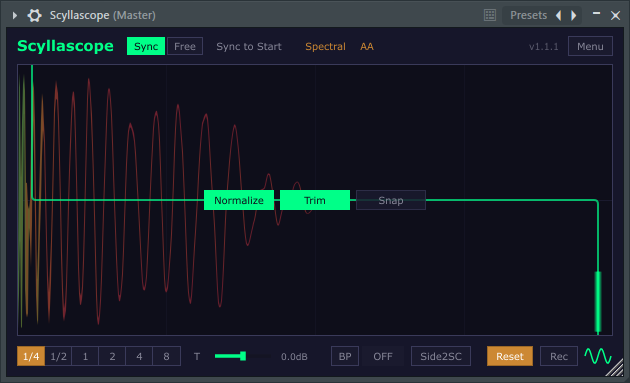
- Normalize and Trim optios before export
- BPM of project in recorded audio name
- New spectral colors for light themes
- Spectral waveform
- Toggle antialiasing
- OpenGL Support
- Toggle antialiasing
- OpenGL Support